

LIS2DW12 Sensor
Component/Hub
Section titled “Component/Hub”The lis2dw12 sensor platform allows you to use your ST LIS2DW12 tri-axial, low-g
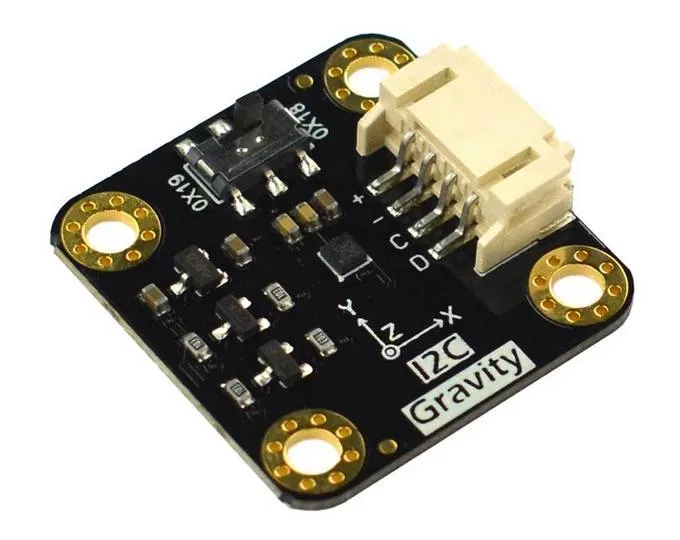
accelerometer (datasheet)
with ESPHome. The sensor supports both I²C and SPI buses.
LIS2DW12 is a 14-bit accelerometer with multiple power modes, tap/double-tap detection, free-fall detection, wake-up/activity detection, and 6D orientation recognition.
This component provides acceleration data in m/s², orientation information, and event detection. XYZ axes can be calibrated and transformed to match the physical orientation of the sensor.
# Example I2C configurationlis2dw12_i2c:# Example SPI configurationlis2dw12_spi: cs_pin: GPIOXXConfiguration Variables
Section titled “Configuration Variables”The configuration is made up of several parts: The central component (I2C or SPI variant), acceleration sensors, text sensor with orientation information, and binary sensors for taps, freefall, and movement detection.
Base Configuration (shared by both lis2dw12_i2c and lis2dw12_spi):
-
id (Optional, ID): Manually specify the ID of the hub. Needed when more than one sensor is configured, so the platforms below can refer to it with
lis2dw12_id. -
update_interval (Optional, Time): The interval for updating acceleration sensors. Defaults to
10s. -
range (Optional, string): The range of the sensor measurements. One of
2G,4G,8G,16G. Defaults to2Gwhich means it picks up accelerations between-2gand2g. -
power_mode (Optional, string): Operating power mode. One of
high_performance,low_power_1,low_power_2,low_power_3,low_power_4. Modelow_power_1uses 12-bit resolution, all others use 14-bit. Defaults tohigh_performance. -
output_data_rate (Optional, string): Output data rate. One of
1.6Hz,12.5Hz,25Hz,50Hz,100Hz,200Hz,400Hz,800Hz,1600Hz. Defaults to100Hz.1.6Hzis only available in the low-power modes, and400Hzand above only inhigh_performance. -
filter_bandwidth (Optional, string): Digital filter bandwidth. One of
odr_div_2,odr_div_4,odr_div_10,odr_div_20. Defaults toodr_div_2. -
low_noise (Optional, boolean): Enable low-noise mode. Defaults to
false. -
calibration (Optional): Zero position offsets per axis.
- offset_x (Optional, float): X-axis zero position calibration, in m/s². From -4.5 to 4.5. Defaults to
0. - offset_y (Optional, float): Y-axis zero position calibration, in m/s². From -4.5 to 4.5. Defaults to
0. - offset_z (Optional, float): Z-axis zero position calibration, in m/s². From -4.5 to 4.5. Defaults to
0.
- offset_x (Optional, float): X-axis zero position calibration, in m/s². From -4.5 to 4.5. Defaults to
-
transform (Optional): Remaps the axes of the acceleration sensors to match how the board is mounted. The orientation text sensor always reports the chip’s own axes.
- mirror_x (Optional, boolean): Mirror X-axis. Defaults to
false. - mirror_y (Optional, boolean): Mirror Y-axis. Defaults to
false. - mirror_z (Optional, boolean): Mirror Z-axis. Defaults to
false. - swap_xy (Optional, boolean): Swap X and Y axis. Defaults to
false.
- mirror_x (Optional, boolean): Mirror X-axis. Defaults to
-
on_tap (Optional, Automation): Actions to run when a single tap is detected.
-
on_double_tap (Optional, Automation): Actions to run when a double tap is detected.
-
on_freefall (Optional, Automation): Actions to run when free-fall is detected.
-
on_active (Optional, Automation): Actions to run when movement is detected.
-
on_orientation (Optional, Automation): Actions to run when the orientation changes.
I2C-specific:
- All options from I²C Device. Default address is
0x19.
SPI-specific:
- cs_pin (Required, Pin): The chip select pin.
- All other options from SPI Device.
Automations
Section titled “Automations”on_tap Trigger
Section titled “on_tap Trigger”This automation will be triggered when single tap is detected.
lis2dw12_i2c: # or lis2dw12_spi # ... on_tap: - then: - logger.log: "Tapped"on_double_tap Trigger
Section titled “on_double_tap Trigger”This automation will be triggered when double tap is detected.
lis2dw12_i2c: # or lis2dw12_spi # ... on_double_tap: - then: - logger.log: "Double tapped"on_freefall Trigger
Section titled “on_freefall Trigger”This automation will be triggered when free-fall is detected.
lis2dw12_i2c: # or lis2dw12_spi # ... on_freefall: - then: - logger.log: "Freefall detected"on_active Trigger
Section titled “on_active Trigger”This automation will be triggered when device detects changes in motion.
lis2dw12_i2c: # or lis2dw12_spi # ... on_active: - then: - logger.log: "Activity detected"on_orientation Trigger
Section titled “on_orientation Trigger”This automation will be triggered when the device orientation changes with respect to the gravity vector.
lis2dw12_i2c: # or lis2dw12_spi # ... on_orientation: - then: - logger.log: "Orientation change detected"Binary Sensor
Section titled “Binary Sensor”Four binary sensors available for use. Internal 500 ms debounce is applied for all sensors. Every sensor needs at least an id or a name. All other options from Binary Sensor. Shorthand notation also can be used.
binary_sensor: - platform: lis2dw12 tap: Single tap # shorthand notation for the sensor double_tap: Double tap # -- "" -- freefall: Freefall # -- "" -- active: # regular notation for the sensor to be able name: Active # to use filters and other options filters: - delayed_off: 5000ms # example of prolongation of movement detection signalConfiguration Variables
Section titled “Configuration Variables”- lis2dw12_id (Optional, ID): The ID of the
lis2dw12_i2corlis2dw12_spihub. Needed when more than one sensor is configured. - tap (Optional): Single tap detection.
- double_tap (Optional): Double tap detection.
- freefall (Optional): Free-fall detection.
- active (Optional): Movement detection.
Sensor
Section titled “Sensor”Acceleration data is available through sensors configuration.
You can use shorthand notation like acceleration_x: "Acceleration X" or use regular notation. For
regular notation at least an id or a name is required. All options from Sensor.
sensor: - platform: lis2dw12 acceleration_x: Accel X acceleration_y: Accel Y acceleration_z: Accel ZConfiguration Variables
Section titled “Configuration Variables”- lis2dw12_id (Optional, ID): The ID of the
lis2dw12_i2corlis2dw12_spihub. Needed when more than one sensor is configured. - acceleration_x (Optional): X-axis acceleration, m/s².
- acceleration_y (Optional): Y-axis acceleration, m/s².
- acceleration_z (Optional): Z-axis acceleration, m/s².
Text Sensor
Section titled “Text Sensor”Text sensor provides 6D orientation information. You can use shorthand notation like
orientation: "Orientation" or use regular notation.
text_sensor: - platform: lis2dw12 orientation: OrientationConfiguration Variables
Section titled “Configuration Variables”- lis2dw12_id (Optional, ID): The ID of the
lis2dw12_i2corlis2dw12_spihub. Needed when more than one sensor is configured. - orientation (Optional): 6D orientation. One of
X Up,X Down,Y Up,Y Down,Z Up,Z Down, orUnknownwhile the chip has not settled on an axis.